

As you probably know, Endor is the developer of the Rover coding agent manager. We use it extensively for our day to day programming. This past week, we did something new, non-coding related. We rebuilt our documentation site using Rover, Claude and our new tech-writer workflow.
We could tell you that we asked Rover and Claude to do all the work and the result was amazing right away. After all, our projects help you manage AI agents. However, that’s far from reality. Though we used Rover heavily, and was of great help, we still spent a significant amount of time writing documentation for our users.
This article describes the process we followed and what we learned from it. You can check out the final result at docs.endor.dev/rover/overview.
AI Slop in 2025
We’re living in an era of AI-generated fatigue. A wave of low-quality content also known as AI slop. New models keep improving, making it harder to distinguish between AI generated and human-written content. As a result, it’s tempting to generate an entire documentation site with AI because, unfortunately, writing documentation is not a task that many people enjoy.
But give it a little time and people start noticing patterns in how these models write certain type of content. Have you seen a myriad of README.md files with multiple titles and emojis? You only need to search for ”🚀 Quick Start” and ”✨ Key Features” in GitHub.
Once developers get used to these patterns, they tend to stop paying attention. Those documents are perfect for LLMs, but not for users. Good documentation needs a clear purpose, thoughtful structure, and an understanding of who it’s being written for.
Documentation is always written for somebody and to answer their question - not the curiosity of the writer
So, how did we build our documentation site using AI?
Building our documentation site
We split our process in 3 main steps:
- Talk to users
- Design the documentation structure
- Write the documentation
1. Talk to users
The first step is straightforward: you’re creating documentation for your users, so involving them is essential to understand what matters to them and what’s missing. You don’t always need to ask them explicitly, but you can infer it from recurring questions, common pain points, or issues raised in your repository.
For example, we discovered that many people are not familiar with git worktrees. Describing a Rover workspace in terms of worktrees wasn’t helpful. Instead, we needed to explain the core idea first, and then mention that Rover uses Git worktrees under the hood to create isolated copies of your project where agents apply changes.
2. Design the documentation structure
Once you’ve collected feedback, it’s time to shape it into an appropriate structure. The goal of good documentation is to guide new users through your project, and provide deeper, more detailed information for advanced ones.
There are plenty of great examples out there. Some documentation sites in the AI space that we particularly like are:
Our key takeaways when designing the structure are:
- Keep it clear and simple for new users. They should be able to understand your project and start using it as quickly as possible. Try to reduce any friction at the beginning.
- Link out for complex/advanced concepts. Not everyone will be familiar with every idea behind your project, but you don’t want to overwhelm newcomers with too many details. Creating a separate document for those concepts supports both cases.
- Show, don’t tell. Users grasp the benefits of a project much faster by seeing it in action. Prioritize clear examples and quick demos over long paragraphs. Guides for common use cases are a powerful way to show what your project can do.
- Engage advanced users. Offer advanced guides and in-depth documentation for users who are already familiar with your project. Also, show these guides as the natural way to continue using your project. Engaged users become your best advocates!
3. Write the documentation
We didn’t involve an AI agent until this point. Now that we have all the information and a solid structure, it’s time to create some tasks for our agents! With Rover, you can parallelize these tasks with a single command.
# Create the task
rover task --workflow tech-writer "Documentation description"

# Monitor the status
rover list

# Check the documentation output
rover inspect 1 --raw-file docs.md
In our case, we asked it to build several documentation pages using the new tech-writer workflow.
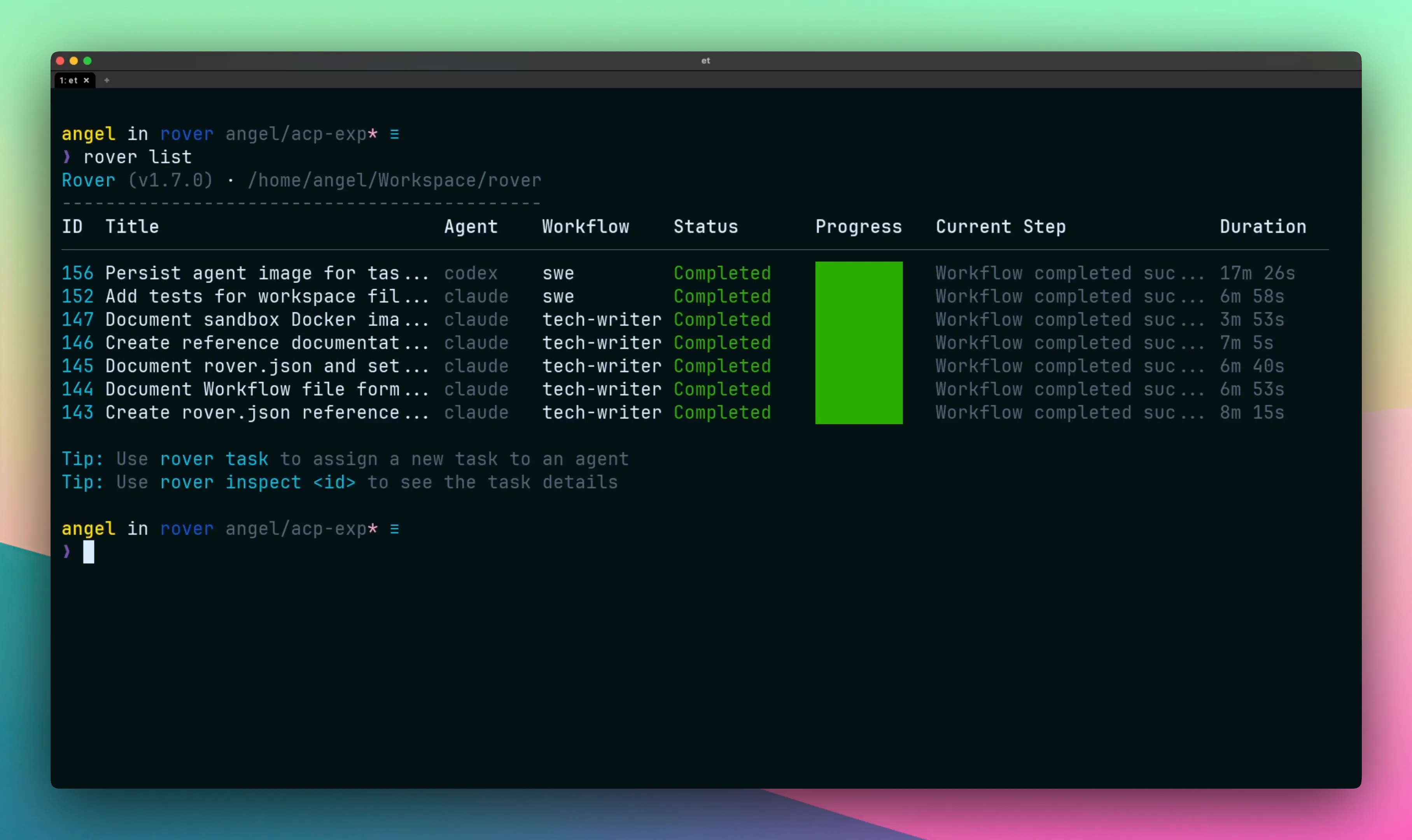
You can find the generated documentation in pages like:
- Sandbox Backends
- Configuration
- Rover.json reference
- Settings.json reference
- Workflow YAML files
- Etc.
Using the tech-writer workflow gave us pretty consistent results across all these pages. We still needed to make some final tweaks, but about 95% of the work was done by Rover and the coding agents behind it.
For example, this is the task description we used to generate the Configuration page:
Create high-level documentation explaining the purpose and basic structure
of Rover's configuration files: rover.json (project-wide settings) and
.rover/settings.json (user preferences). Focus on what each file controls,
when to use which file, and provide simple examples. Keep it concise as
detailed field reference documentation will be separate.
Focus on what matters
Coding agents were extremely helpful. Using them, we rebuilt our documentation in two days. Without them, it would’ve taken us a week. But we still wrote key pages, such as Overview, Task, and Workflow entirely by hand.
Those pages matter. They shape a user’s first impression of Rover. And while AI is great at generating grammatically correct text, it doesn’t naturally produce the intent, structure, and story that those pages need.
Our advice: write the important parts yourself. Then let coding agents help polish, expand, and maintain them. AI can save you time, but it can’t replace your understanding of your users. In the end, that’s the point: AI doesn’t replace thoughtful documentation, it amplifies it.
Ready to boost your AI coding agents?
Check out Rover on GitHub and the documentation to get started